To add a new Site please click on Site navigation link in Settings section of the left-hand side panel.
Depending on your Subscription plan you can have one or multiple Sites.
When creating your account with Timedox a default Site is created automatically which you can later edit, delete or add a new one.
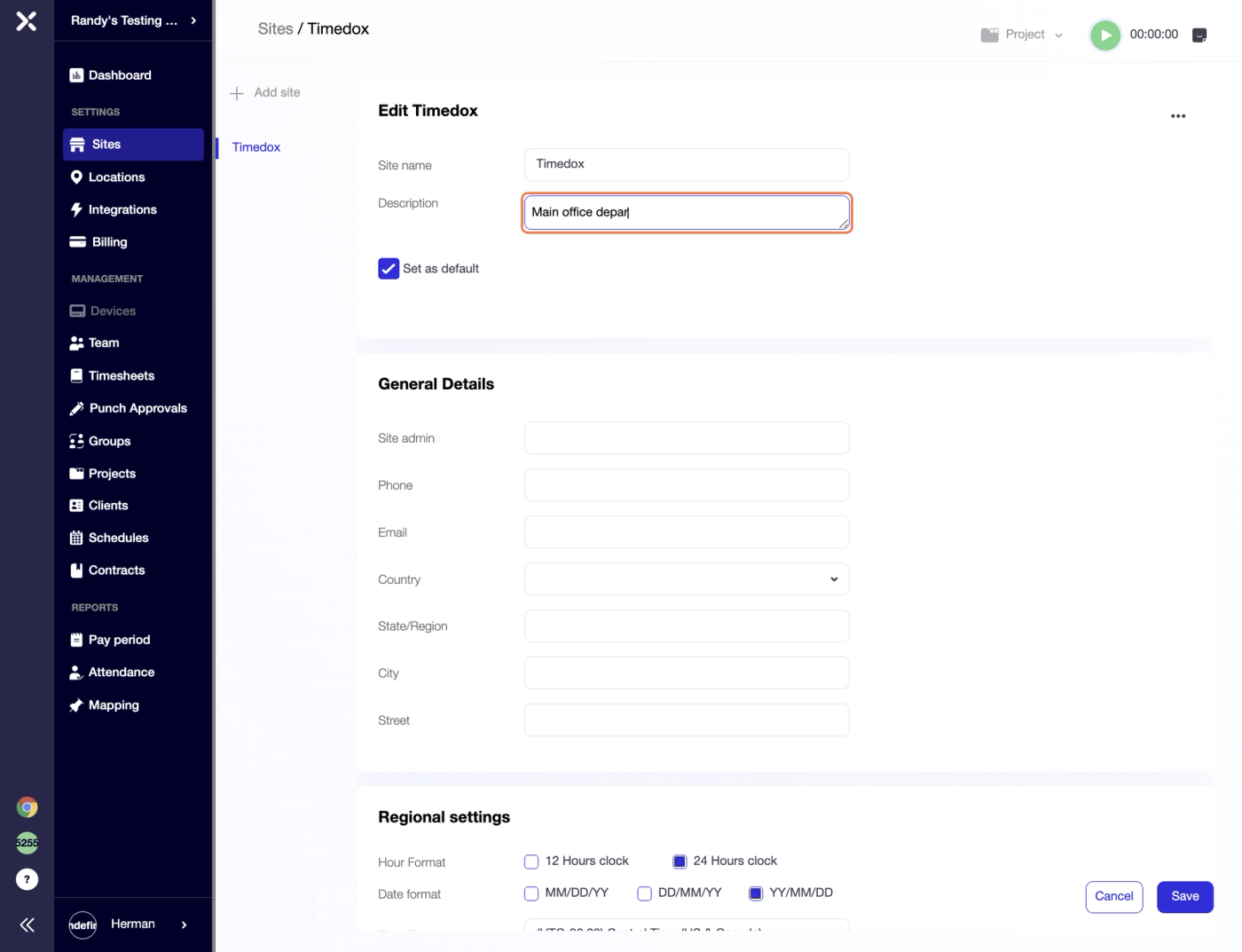
Start by naming the Site and adding a brief description which is optional.
When having multiple Sites you can choose one of them to be a default one.
Your automatically created Site will have the information filled in during account creation.
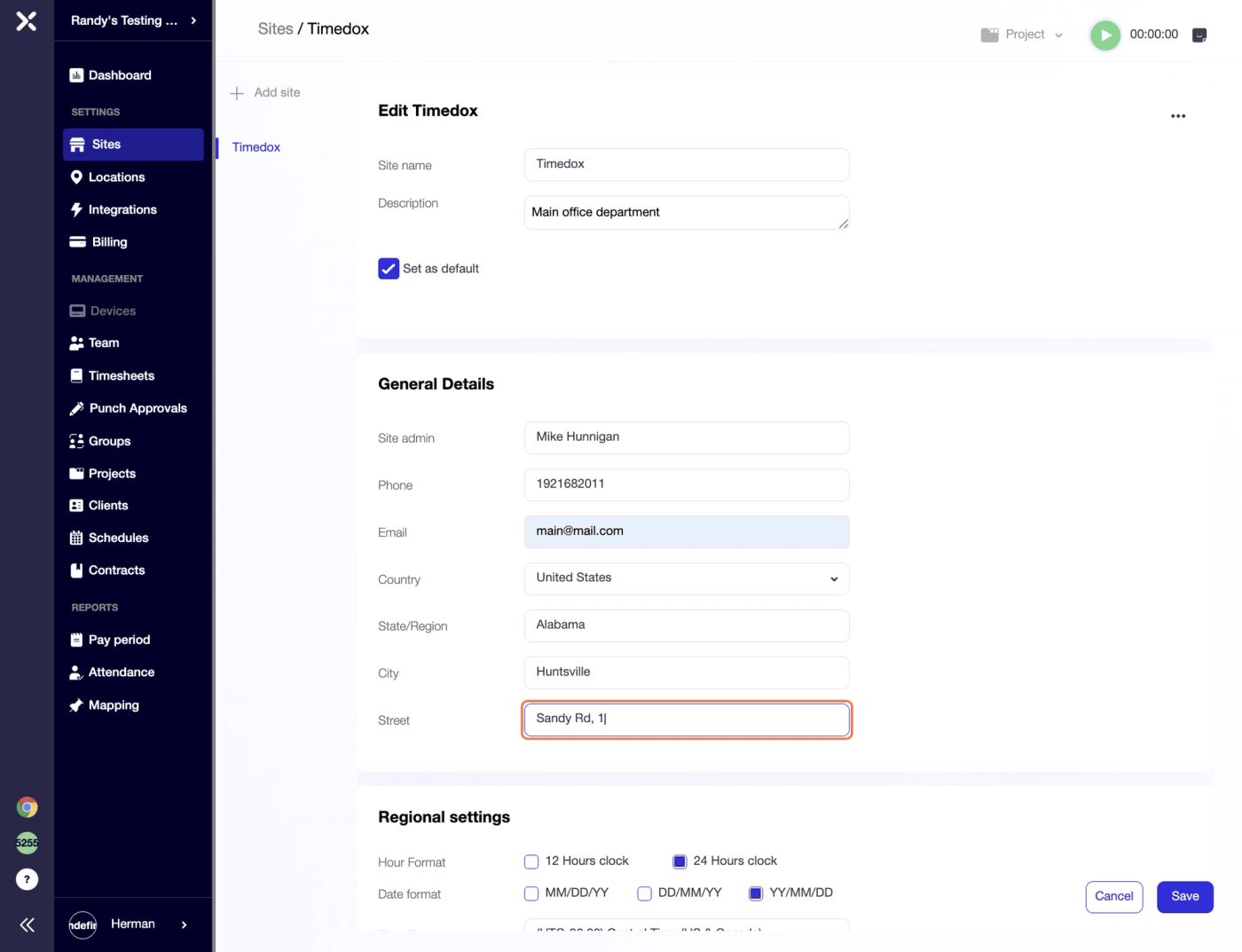
When adding a new Site you can assign an Administrator and fill in all the details you need (phone, email, and detailed address)
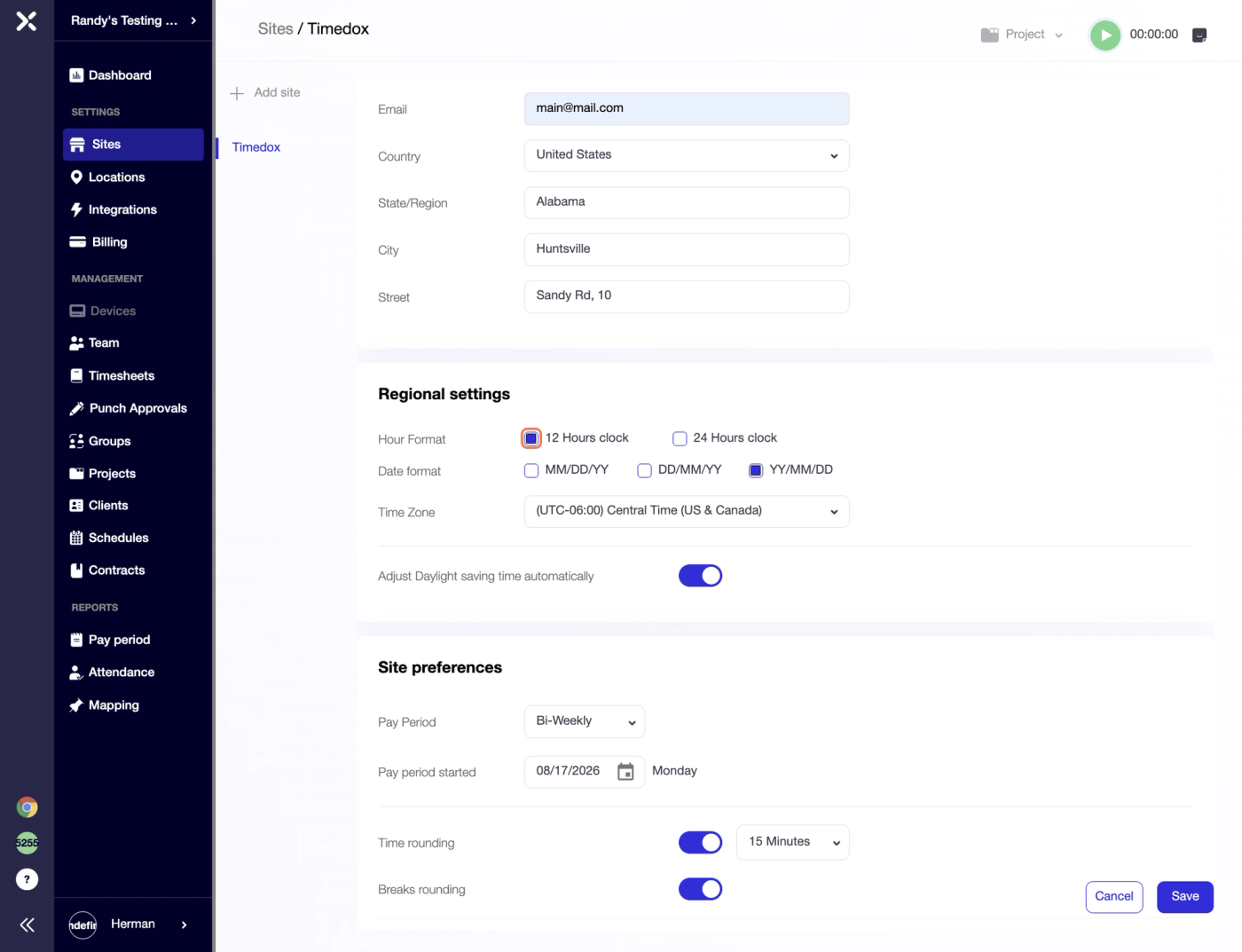
Next you can move to Regional settings section, where you can select Hour Format (12h or 24h), Date Format and Timezone which would apply to timeclocking units and define your team punch time allocation.
You can switch the toggle if you need Daylight Saving Time to apply automatically.
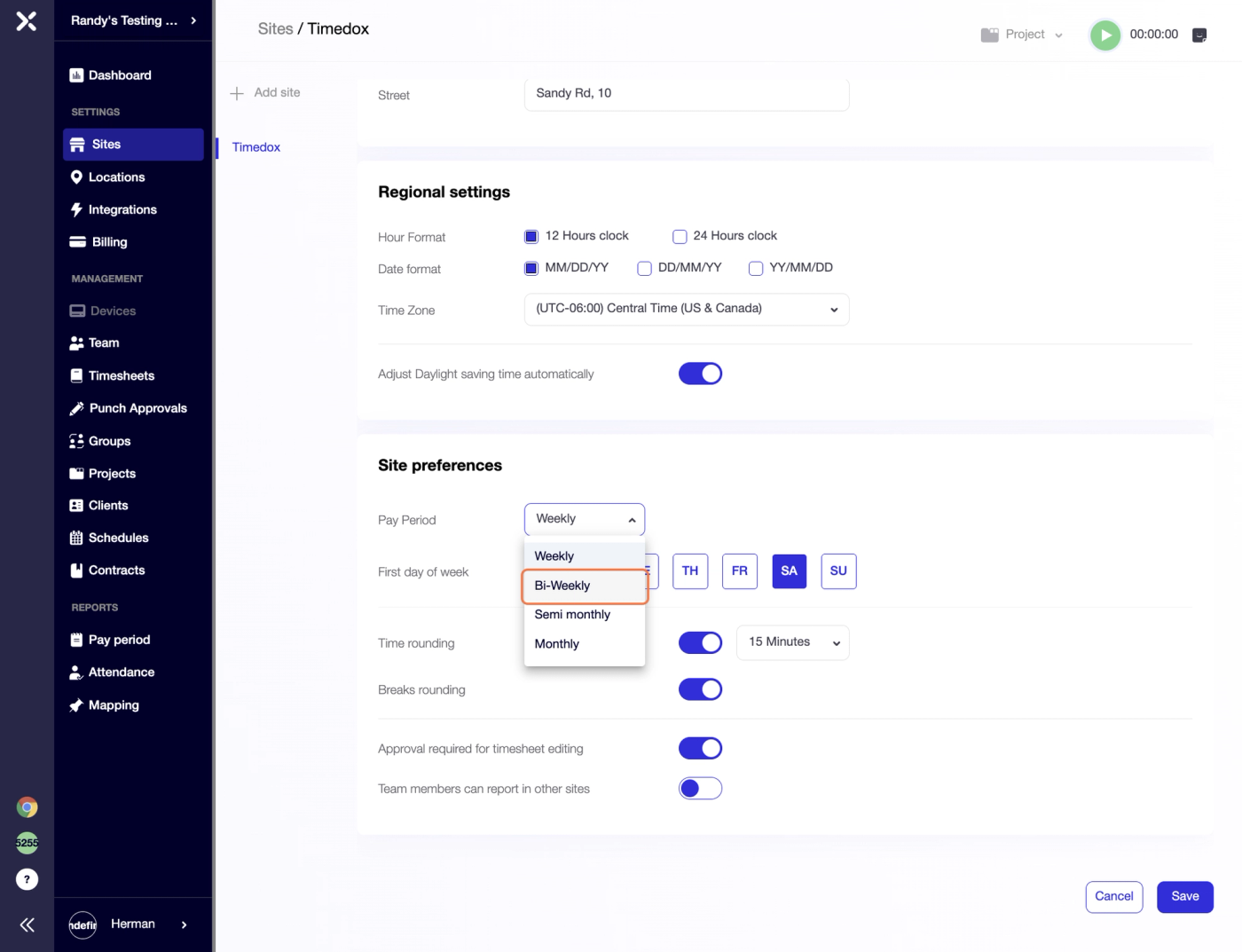
Then goes Site preferences which actually imply different settings such as:
Pay Period type and its starting day (you can choose among Weekly, Bi-Weekly, Semi-Monthly and Monthly)
Time Rounding (punch time is rounded to the nearest round time number; you can choose among 10, 15 or 30 min period) Breaks can be rounded as well.
Approval required for timesheet editing can be enabled making Management more strict, when necessary.
Team members can report in other sites needs to be ON if your employees belong to different work places.
Once new Site configuration is set up you can click "Save".
Try Timedox free for 14 days
GPS-verified time tracking, automated timesheets, and real-time reporting. No credit card required.
Herman Zviertsev
Customer Care Team Lead at Timedox